
Turn any photo into anime, cartoon or comic art
Upload one photo. The AI redraws the entire frame - line work, shading, colour and all - while holding your pose, framing and likeness. Four full-fidelity engines with four tuned looks each, plus 22 more styles from oil painting to pixel art. 26 in total, free.
Modern TV-series look: crisp lines, bright cel shading.
Painted & drawn
Animation & film
Neon & fantasy
Craft & pixels
Free · 10 credits a run, free to earn · results carry a small Face-swapper.org mark
Inking your photo…
Usually a couple of minutes, occasionally longer when the model is busy. You can switch tabs or lock your phone - the job finishes on our server, not in your browser.A styliser, not a filter
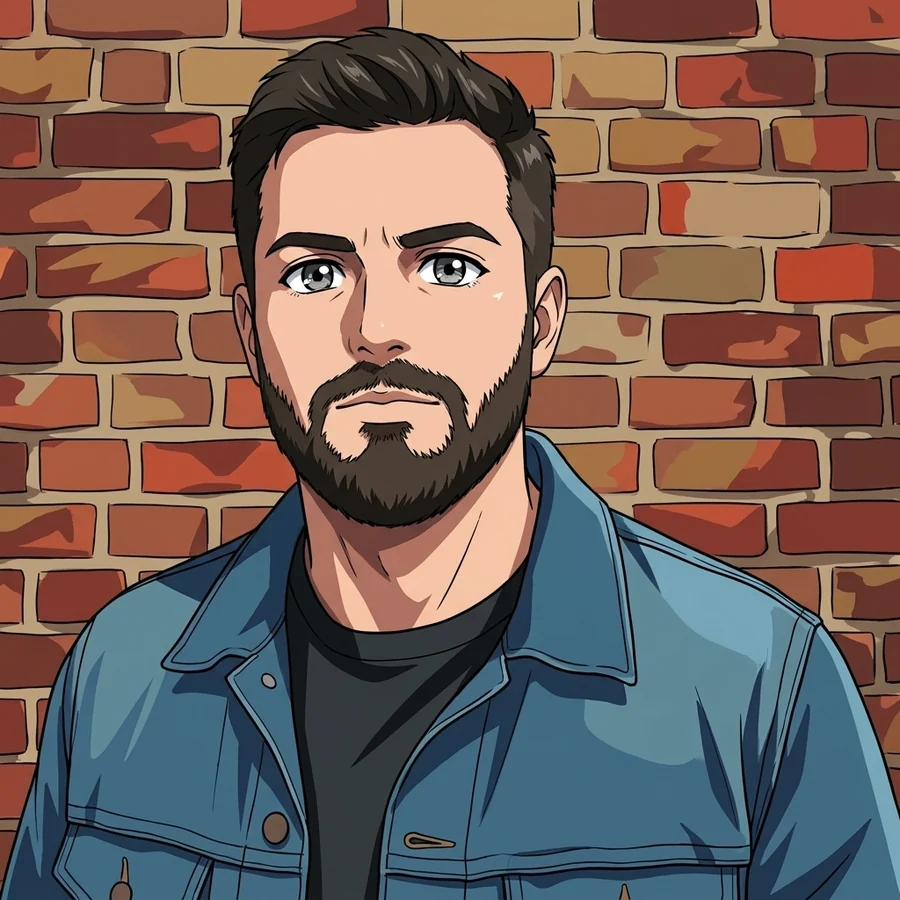
A filter multiplies colours over the pixels you already have. This redraws the picture: the model reads your photo, then produces new line work, new shading and new colour in the target style - while deliberately holding pose, proportions and camera angle so the result is still recognisably your photo.
Four trained engines, not one filter
Anime, cartoon, comic and polaroid are trained adapters - the model has learned each look, rather than being talked into it. Twenty-two further styles run as instruction presets.
Your pose is kept
The styliser holds pose, proportions and camera angle, so the result reads as your photo redrawn rather than a new picture of someone else.
Twenty-six styles, no prompting
Each engine carries four tuned looks and every preset supplies its own instruction. Switch and re-run to explore the lot without writing a single prompt.
Free, and yours
No paywall and no signup to look around. Your upload is deleted within 24 hours and never added to a public gallery.
The same photo, restyled
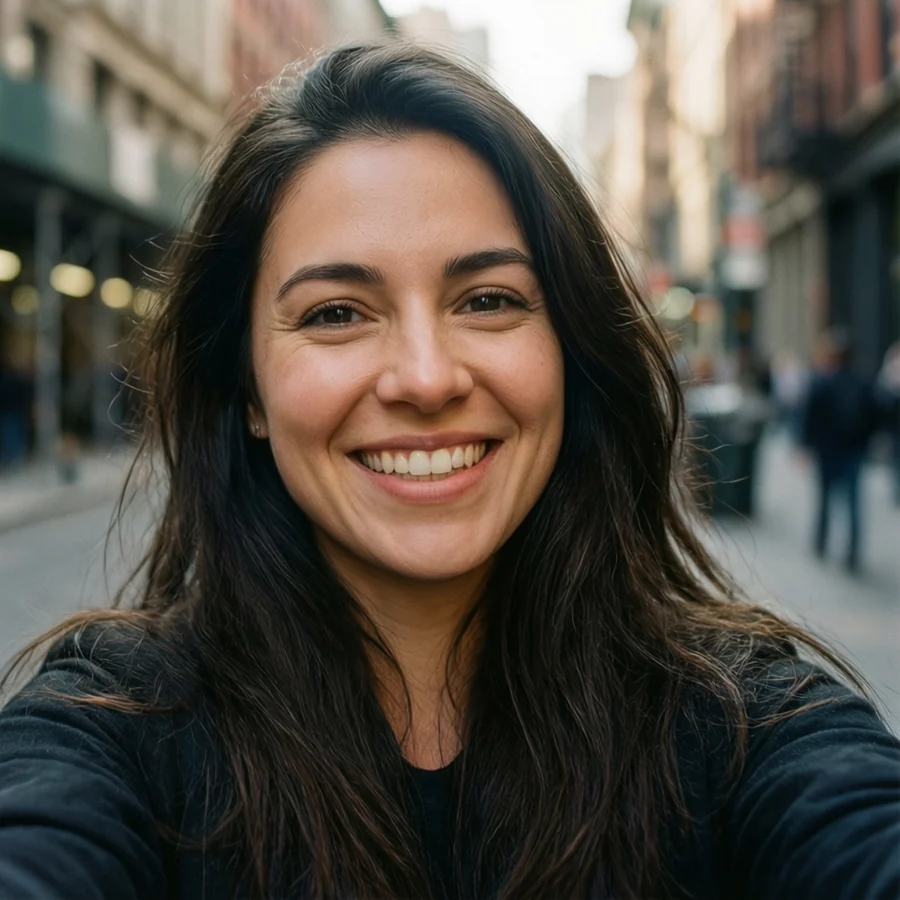
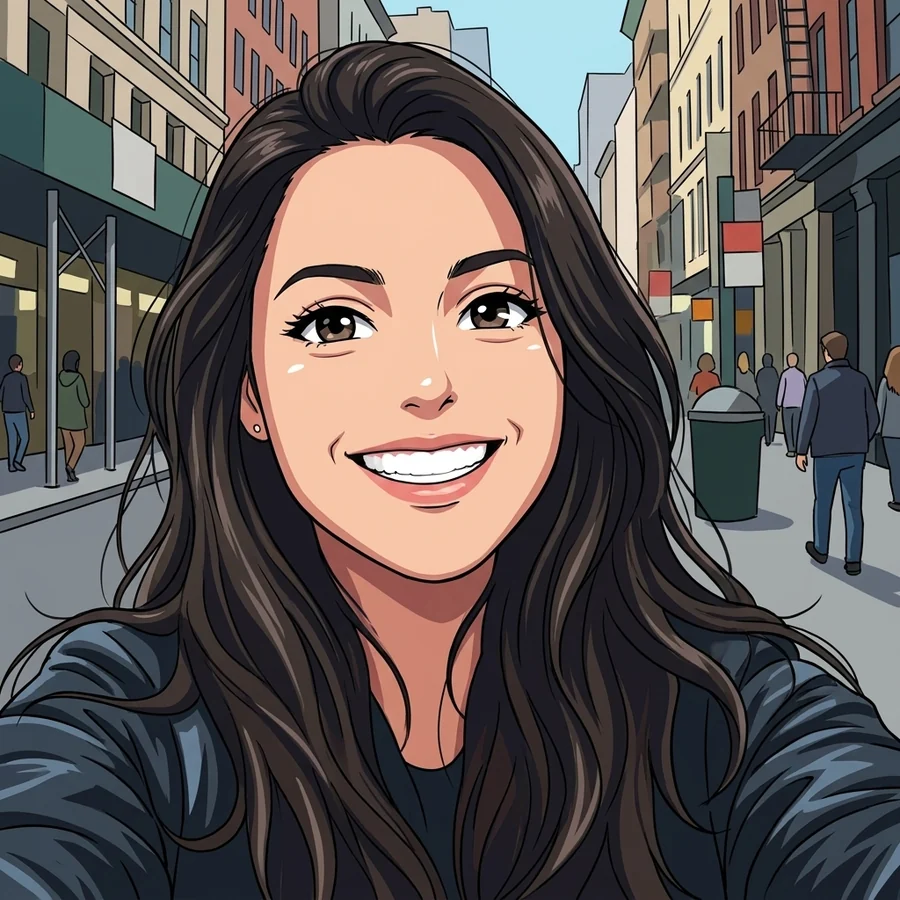
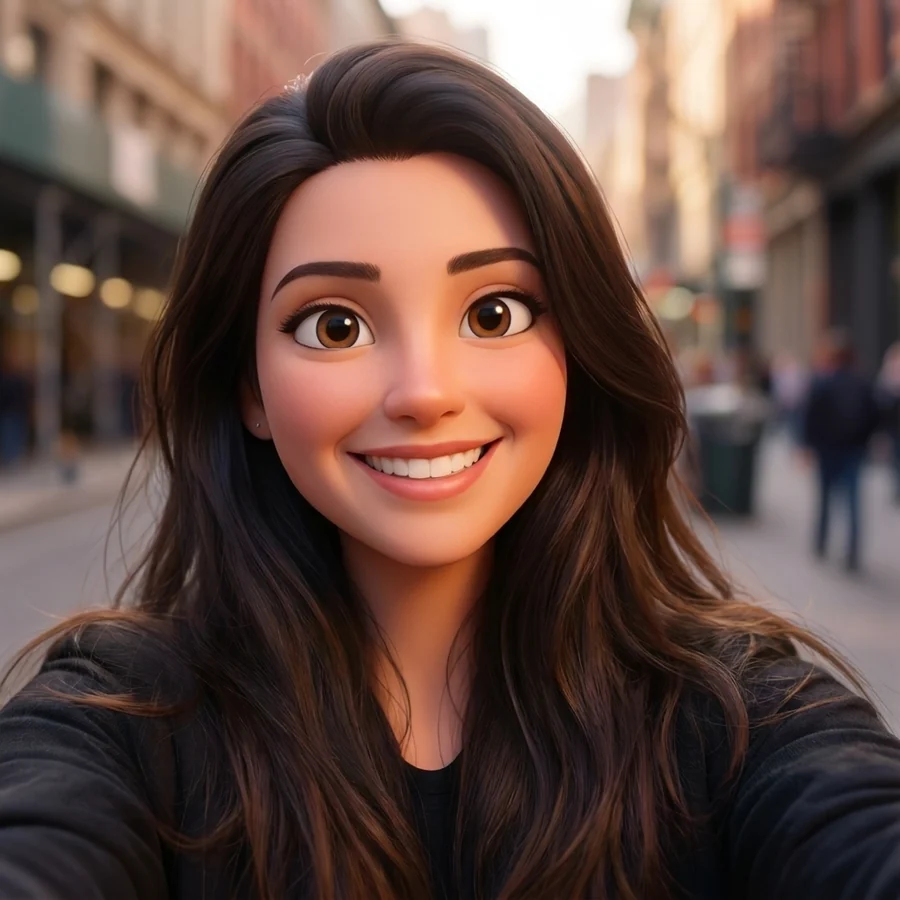
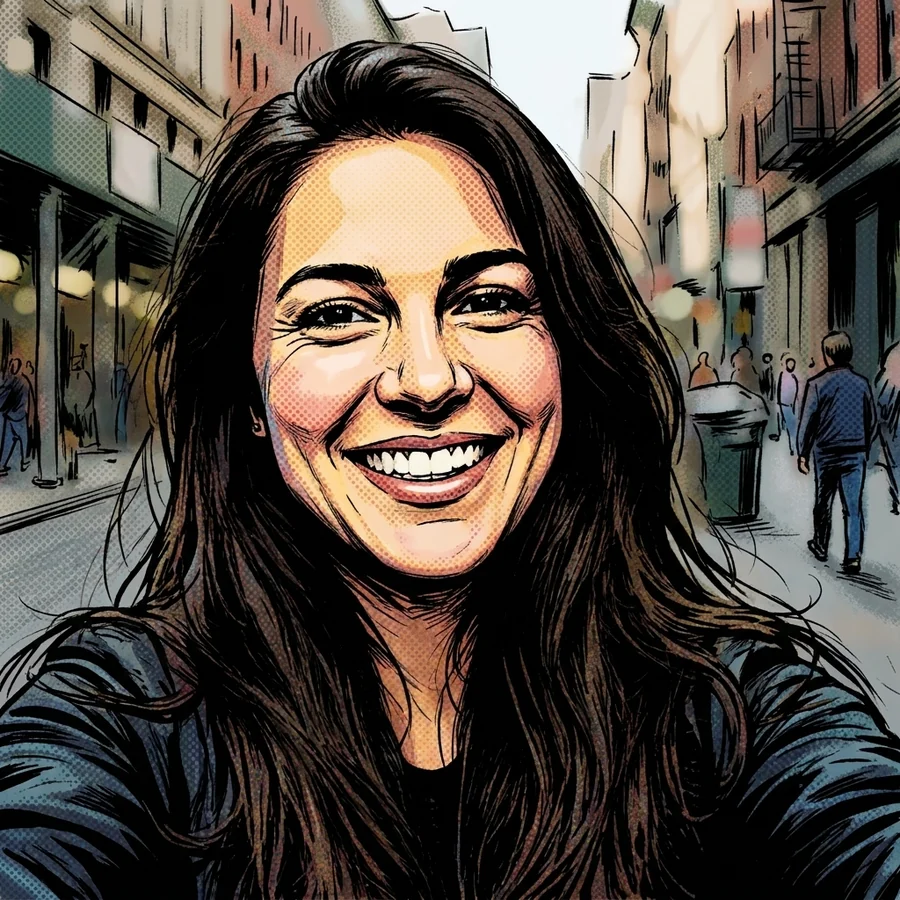
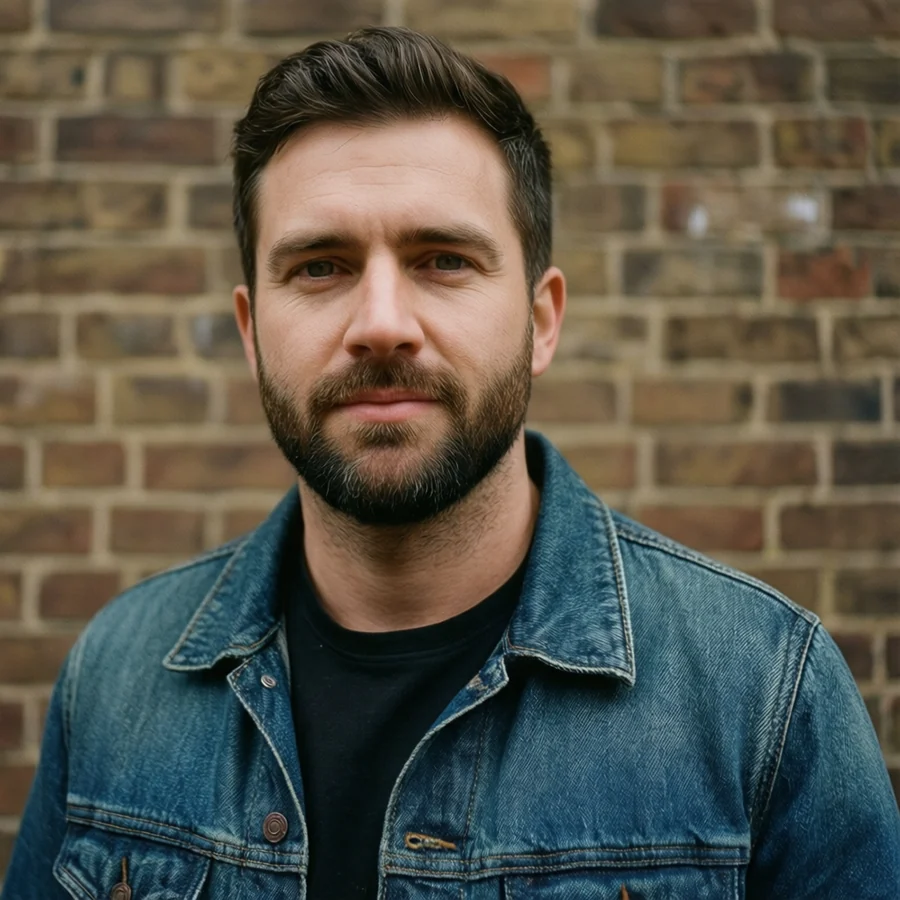
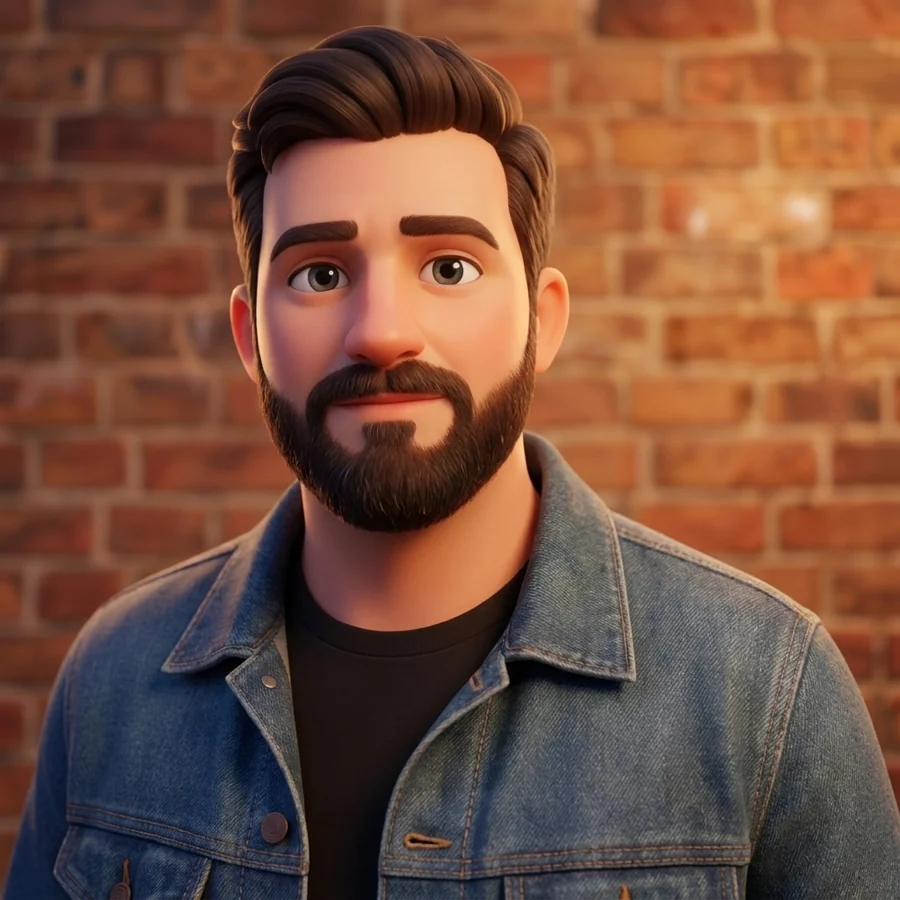
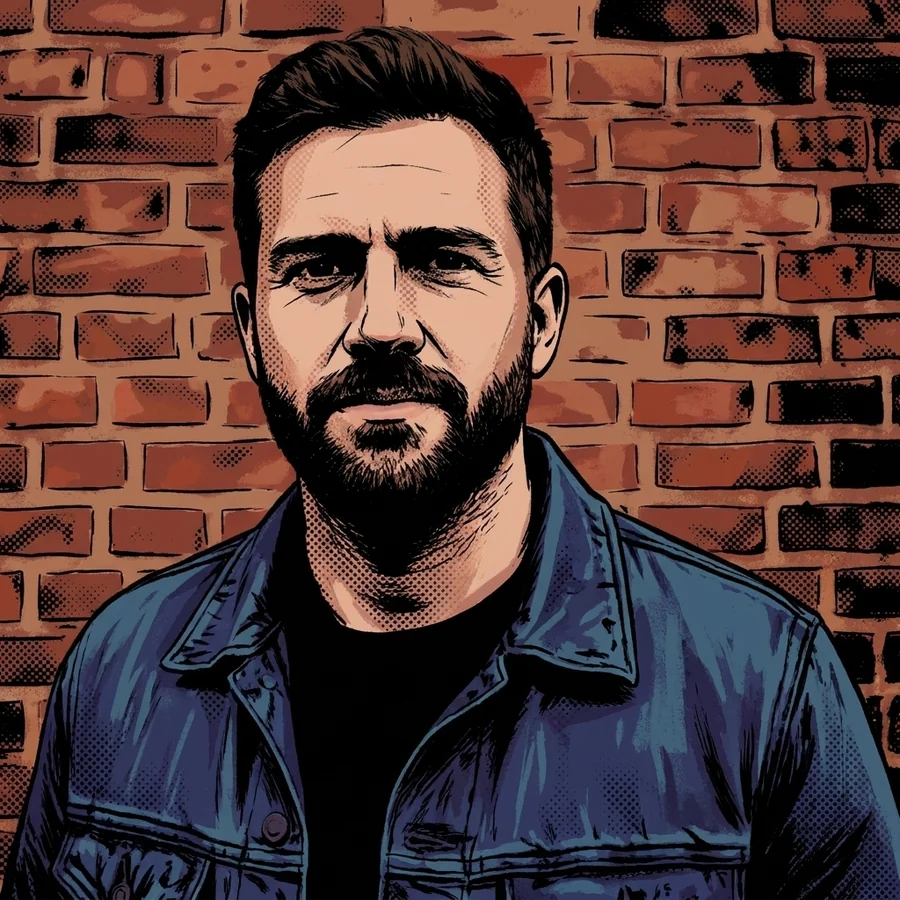
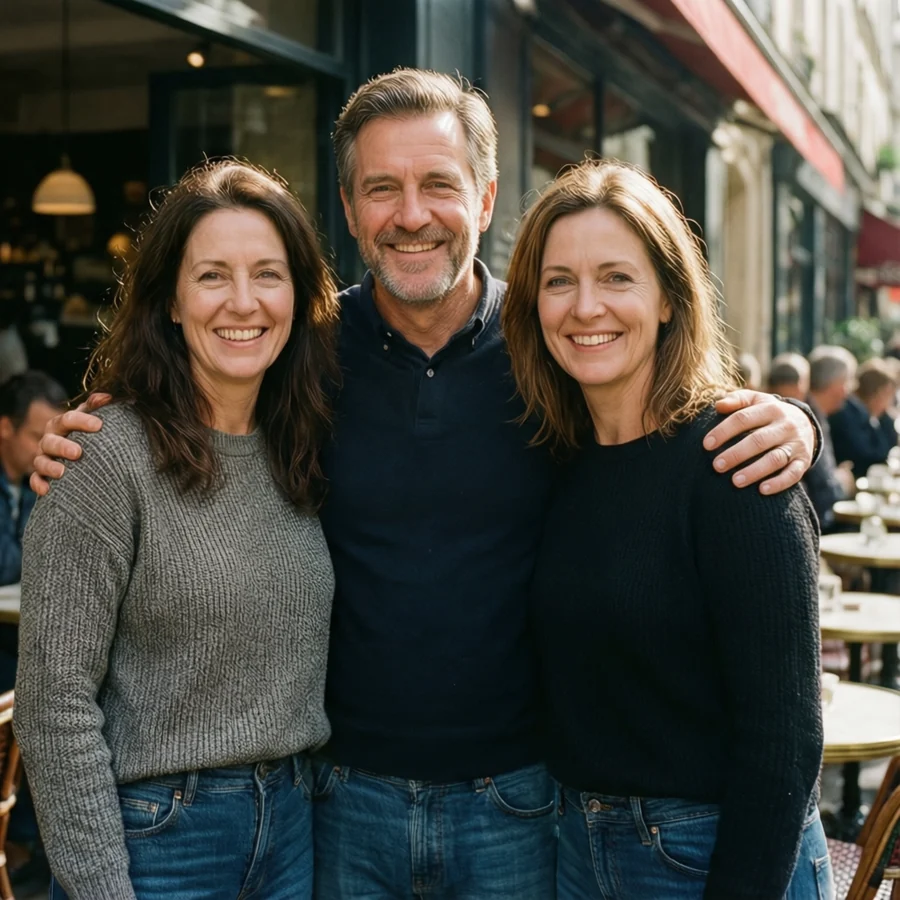
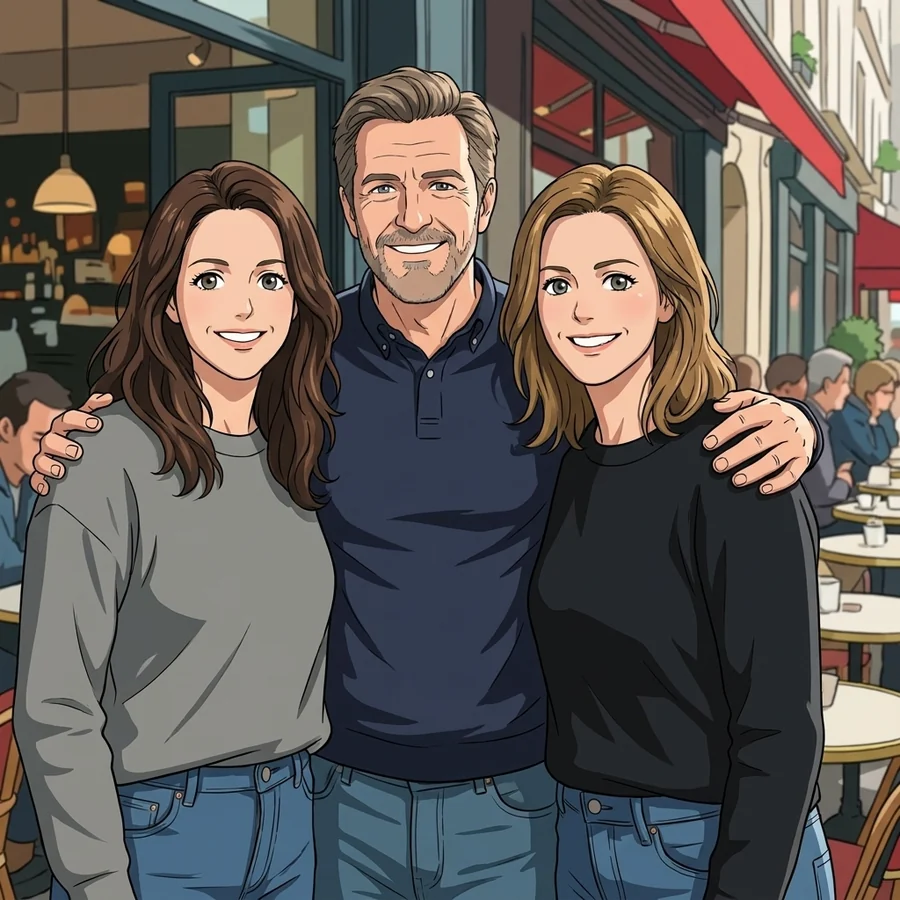
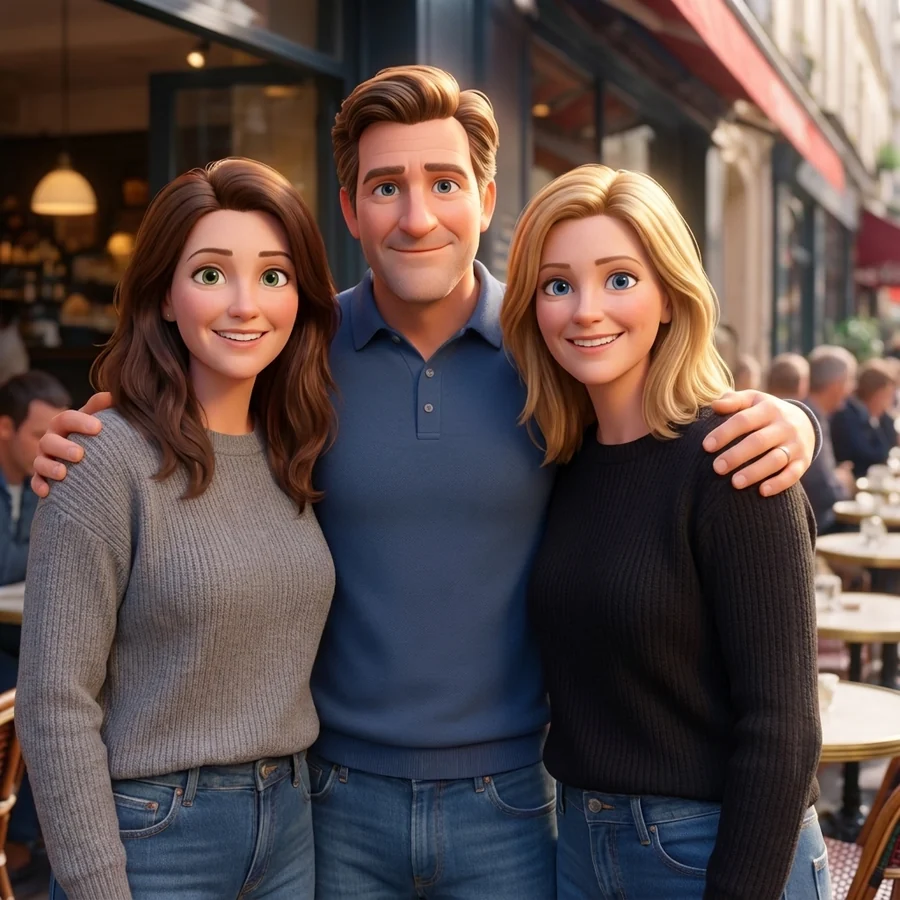
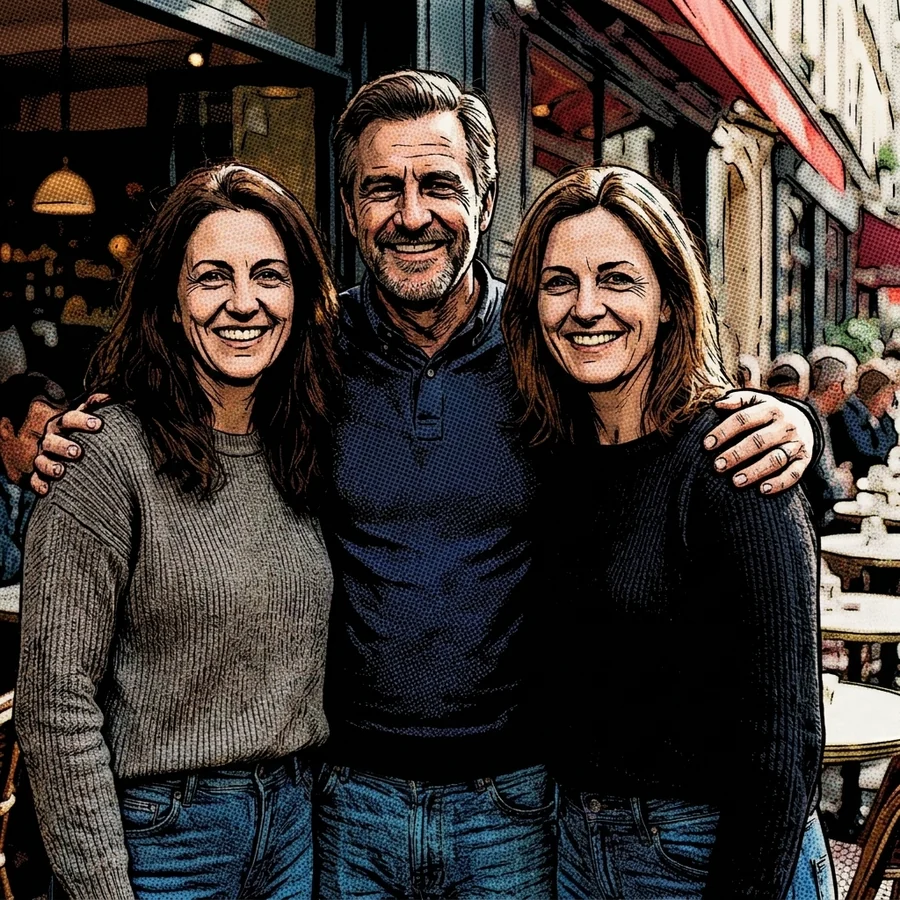
Each row is one photo redrawn in three of the trained engines, so you can see exactly what changes - line work, shading, colour - and what does not. Drag any slider to compare against the photo it started from. The originals are AI-generated stand-ins, so nobody's real face is published here, and these style references were rendered separately rather than captured from a live run.
 Photo
Anime
Photo
Anime
Everyday selfie
A phone selfie in flat daylight - the most common thing people upload.
 Photo
Cartoon
Photo
Cartoon
Everyday selfie
A phone selfie in flat daylight - the most common thing people upload.
 Photo
Comic
Photo
Comic
Everyday selfie
A phone selfie in flat daylight - the most common thing people upload.
 Photo
Anime
Photo
Anime
Studio-ish portrait
Clean background and even light: the easiest photo for every engine.
 Photo
Cartoon
Photo
Cartoon
Studio-ish portrait
Clean background and even light: the easiest photo for every engine.
 Photo
Comic
Photo
Comic
Studio-ish portrait
Clean background and even light: the easiest photo for every engine.
 Photo
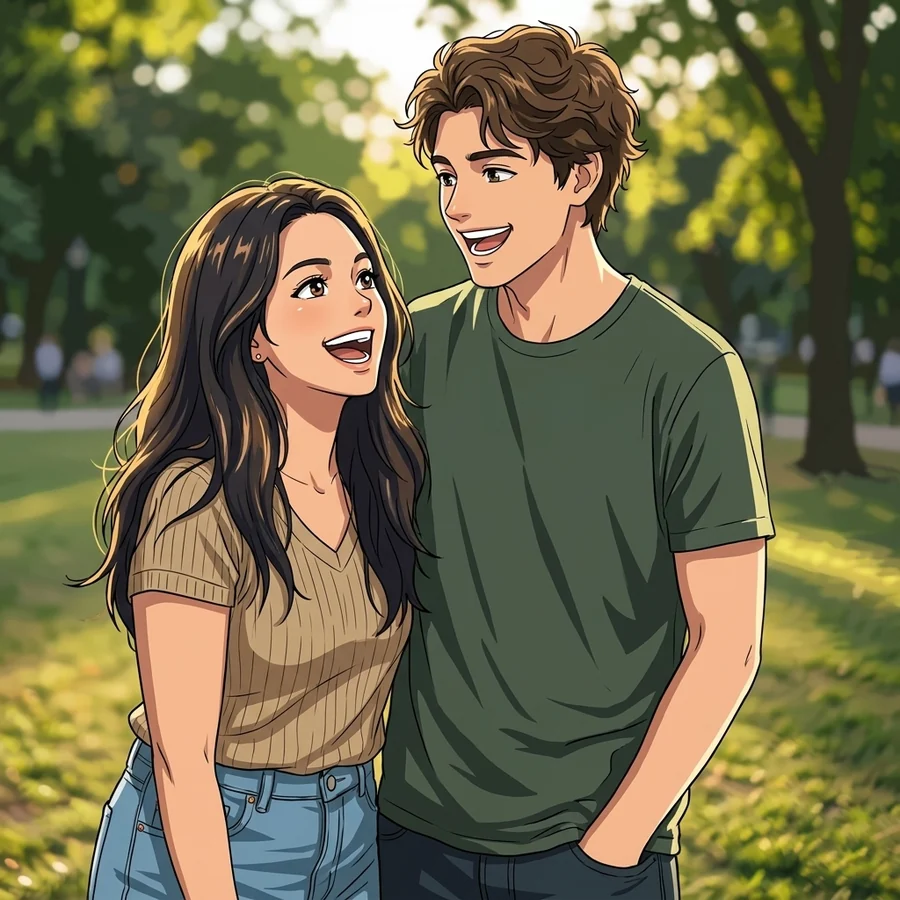
Anime
Photo
Anime
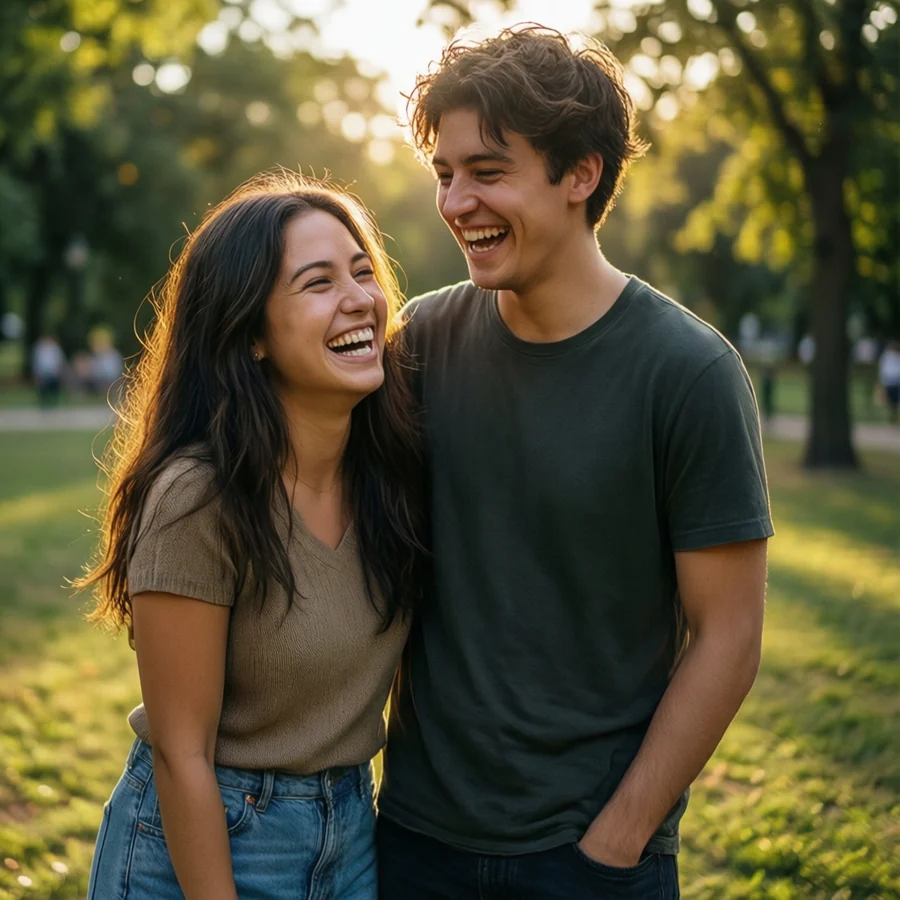
Two people
Both faces stay distinct because the model keeps the original framing.
 Photo
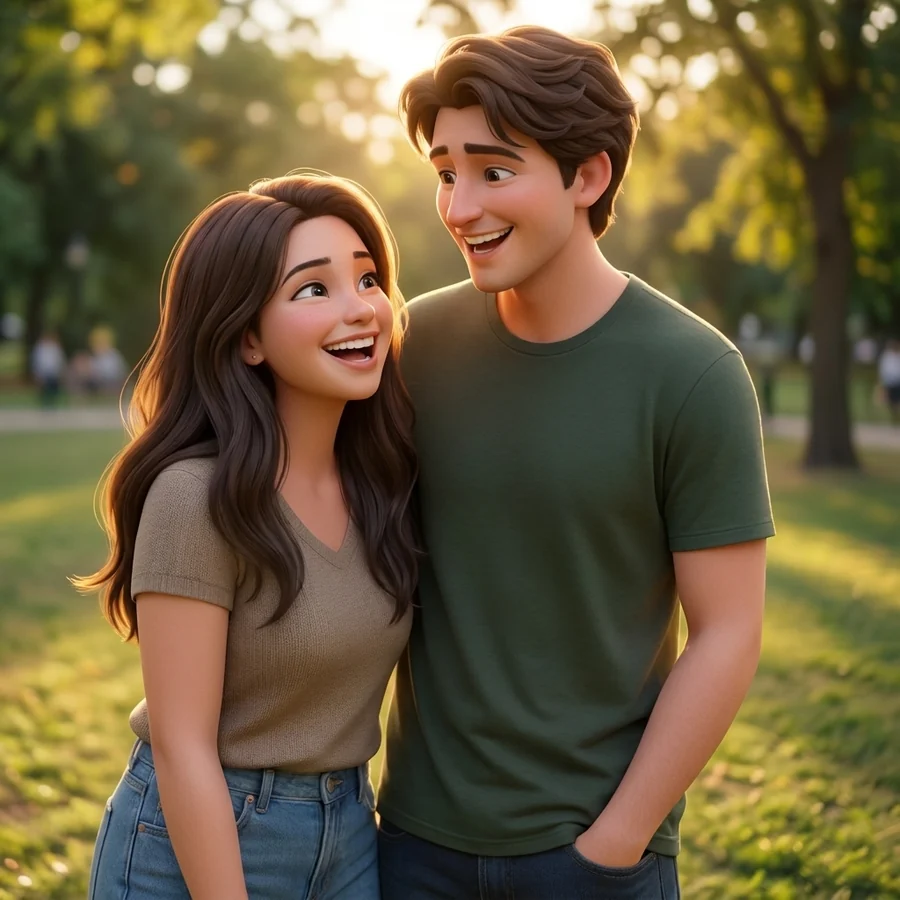
Cartoon
Photo
Cartoon
Two people
Both faces stay distinct because the model keeps the original framing.
 Photo
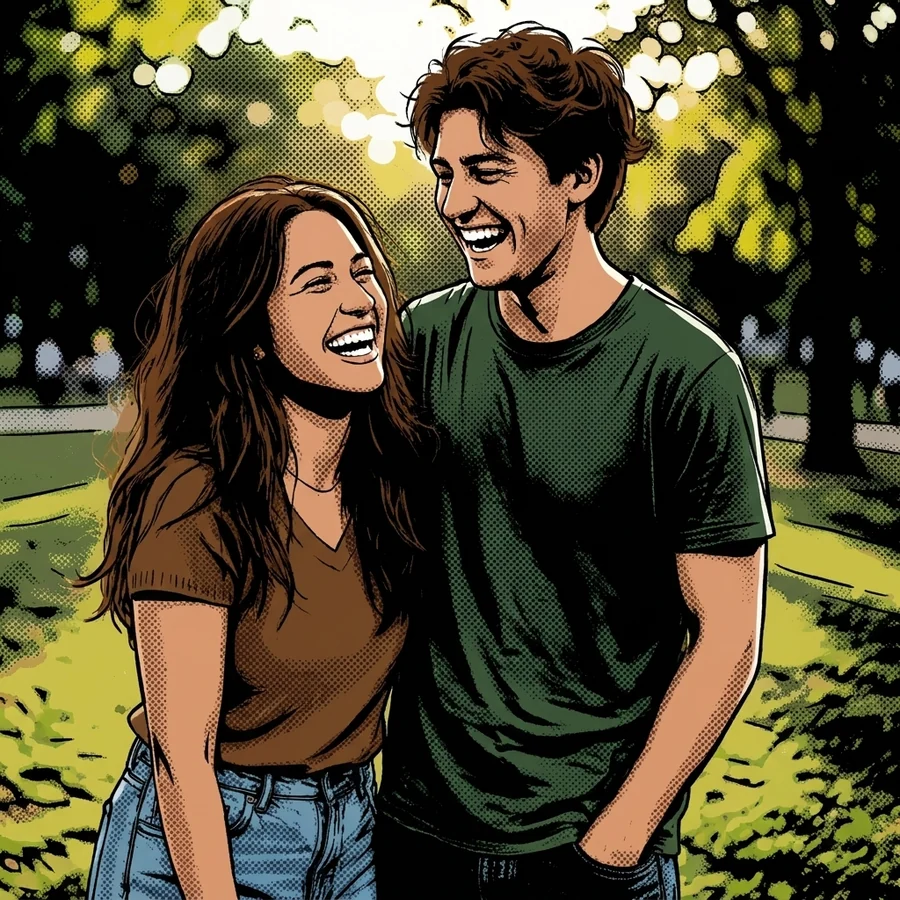
Comic
Photo
Comic
Two people
Both faces stay distinct because the model keeps the original framing.
 Photo
Anime
Photo
Anime
Group of three
Groups work, but faces get smaller - keep everyone close to the camera.
 Photo
Cartoon
Photo
Cartoon
Group of three
Groups work, but faces get smaller - keep everyone close to the camera.
 Photo
Comic
Photo
Comic
Group of three
Groups work, but faces get smaller - keep everyone close to the camera.
 Photo
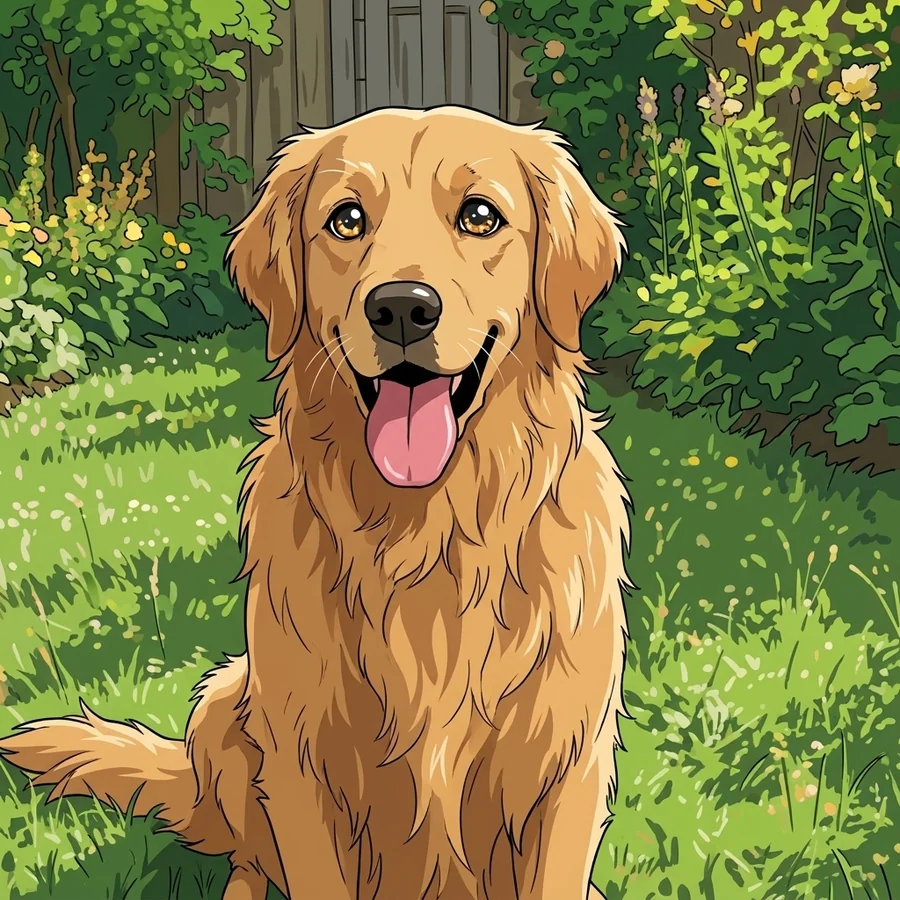
Anime
Photo
Anime
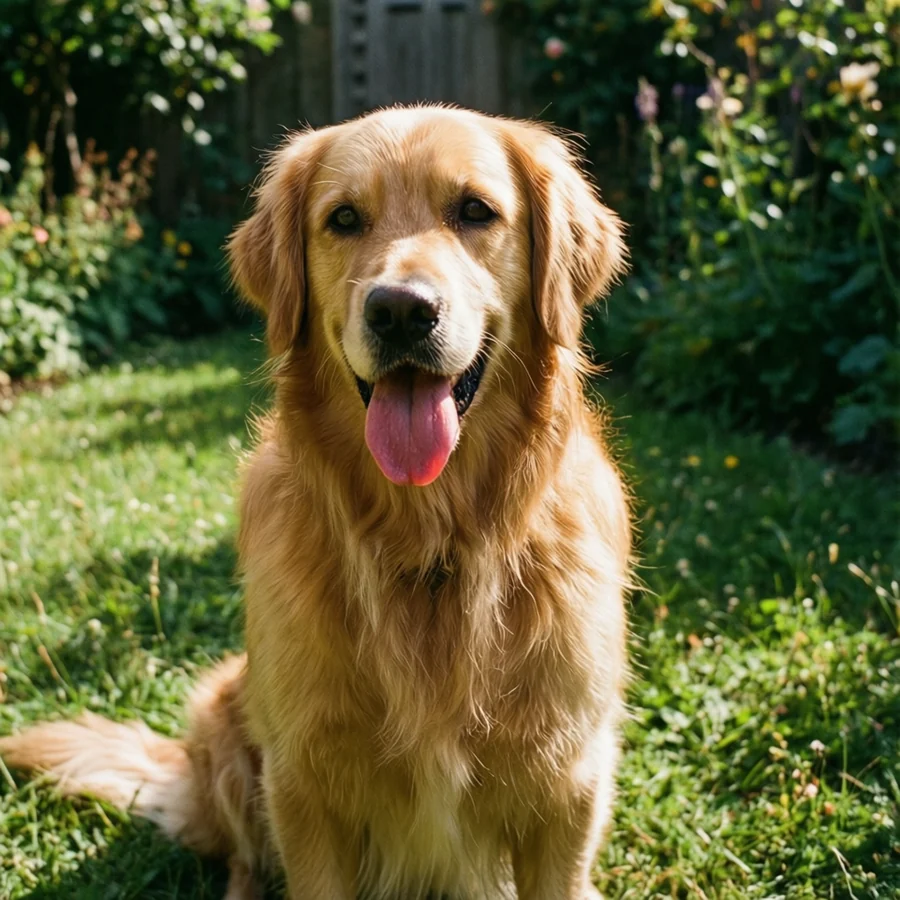
Pet portrait
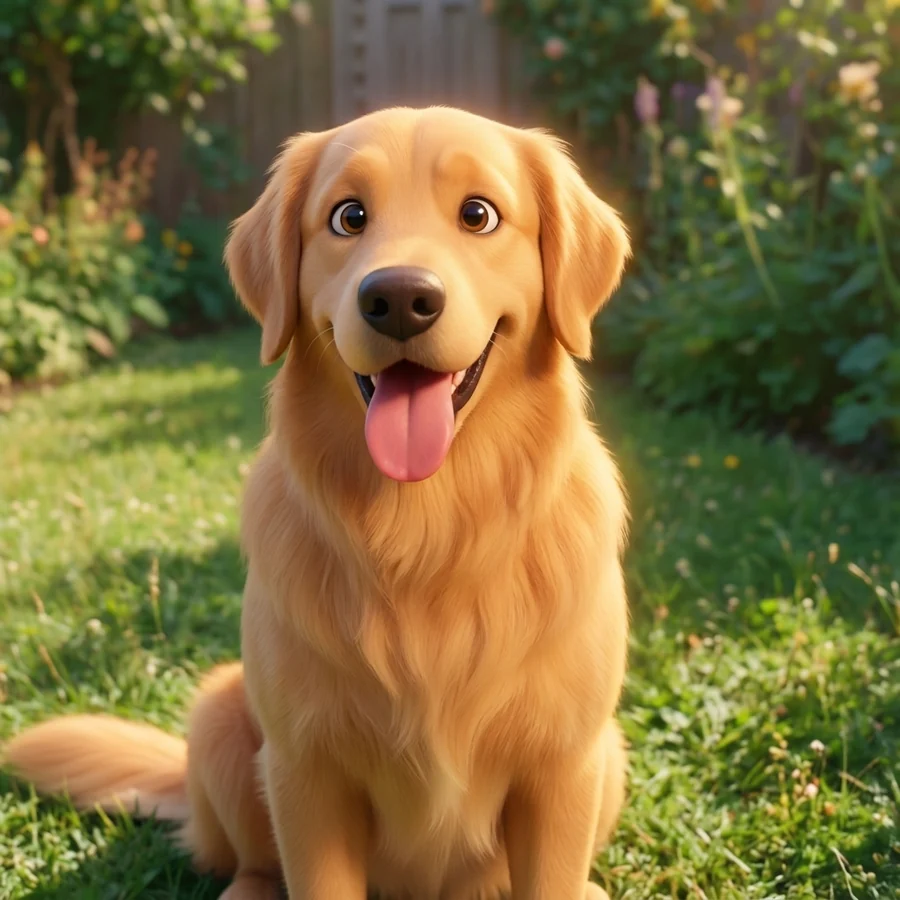
Not just people. Pets cartoon beautifully, especially in 3D.
 Photo
Cartoon
Photo
Cartoon
Pet portrait
Not just people. Pets cartoon beautifully, especially in 3D.
 Photo
Comic
Photo
Comic
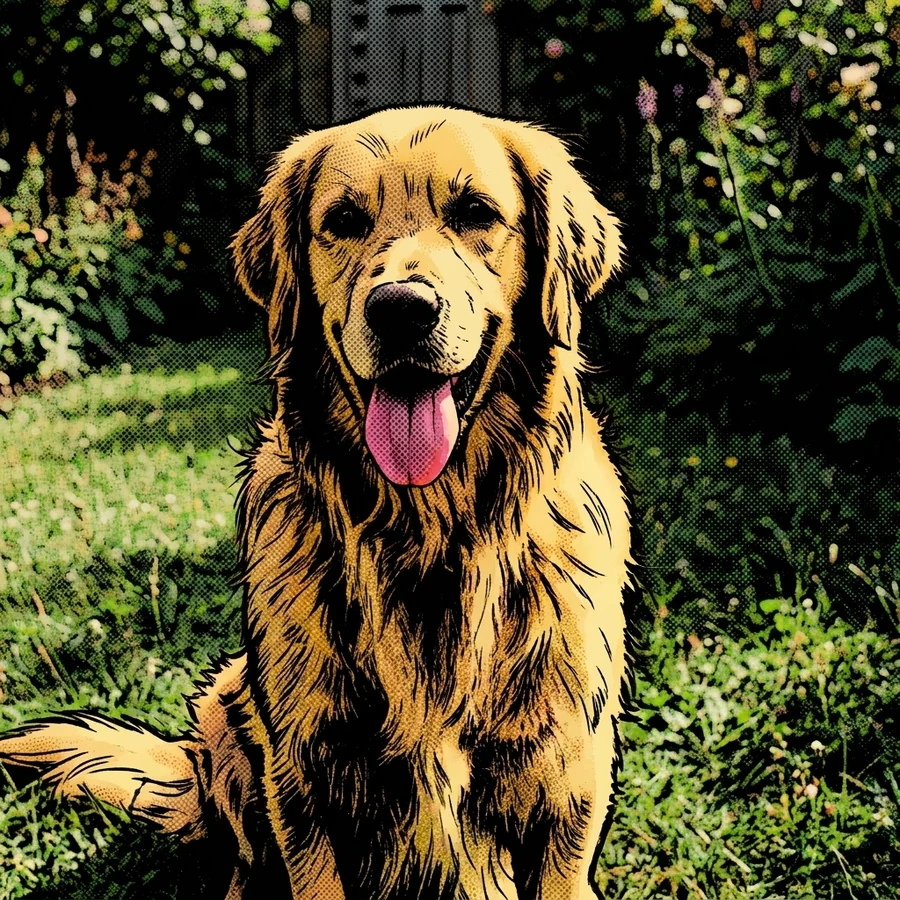
Pet portrait
Not just people. Pets cartoon beautifully, especially in 3D.
 Photo
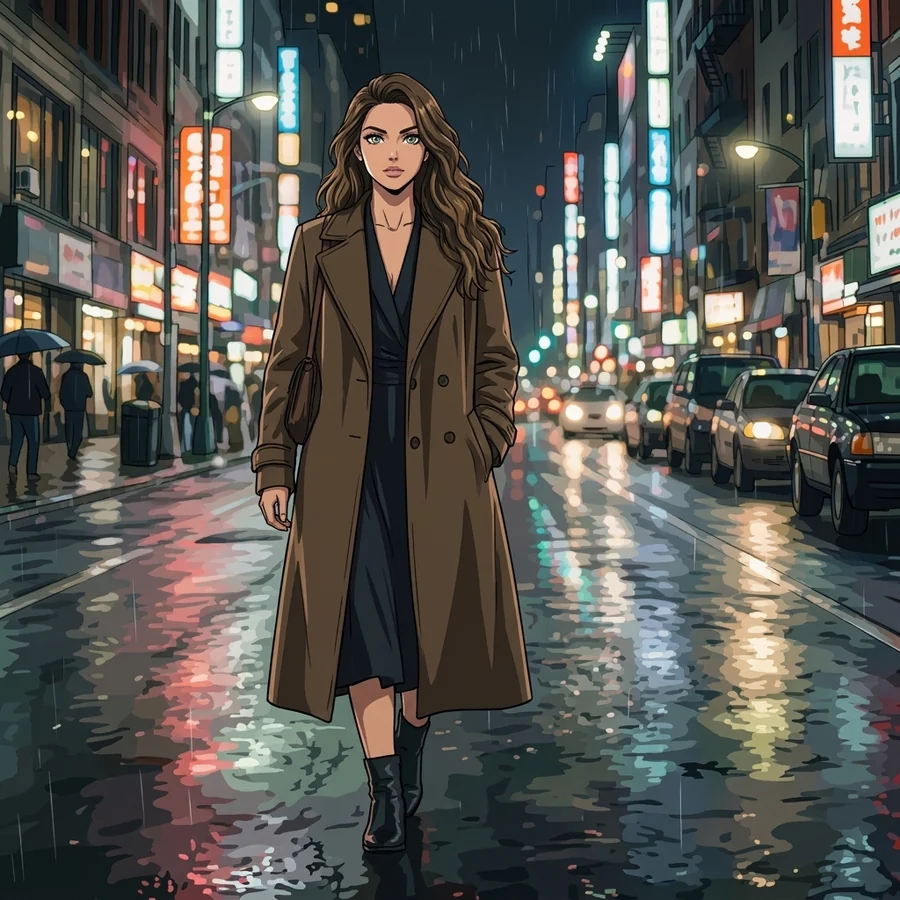
Anime
Photo
Anime
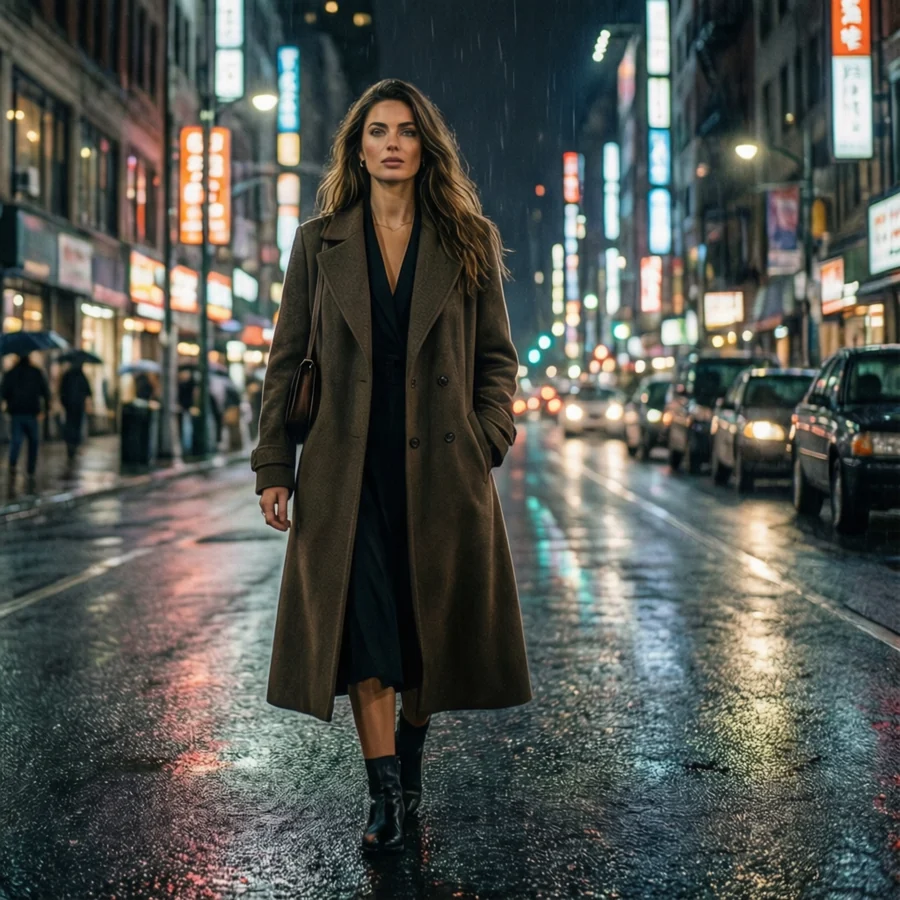
Full-body, night
Hard neon light and a full-body pose - the comic engine loves this one.
 Photo
Cartoon
Photo
Cartoon
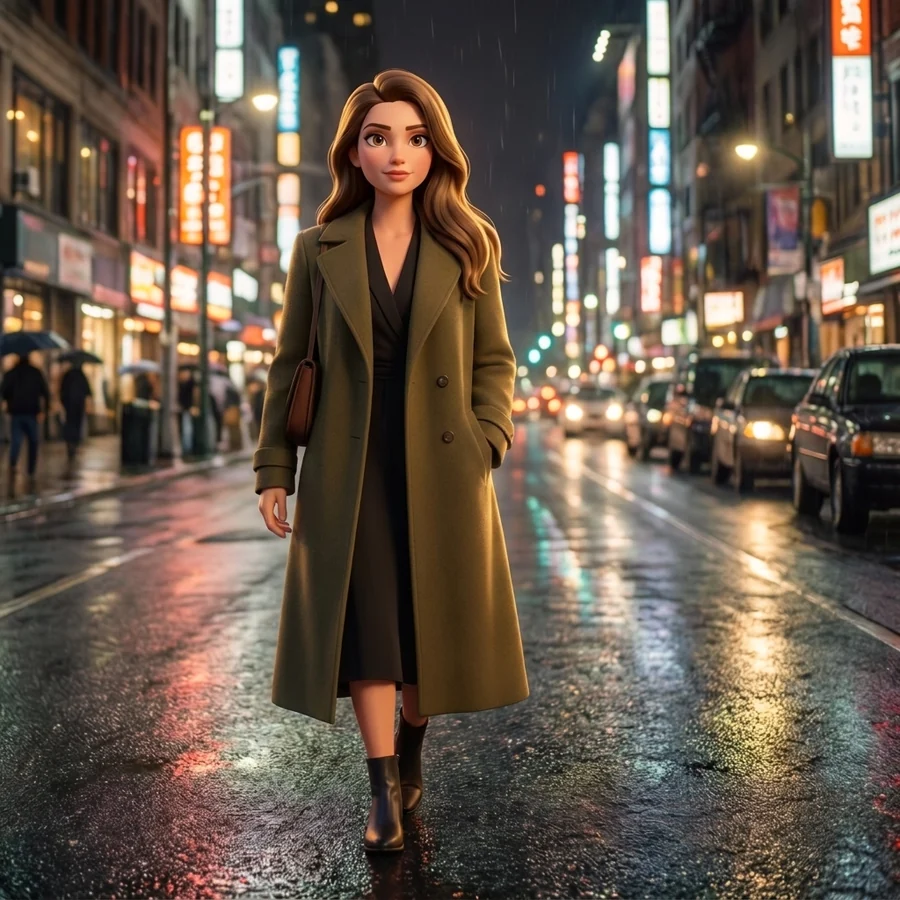
Full-body, night
Hard neon light and a full-body pose - the comic engine loves this one.
 Photo
Comic
Photo
Comic
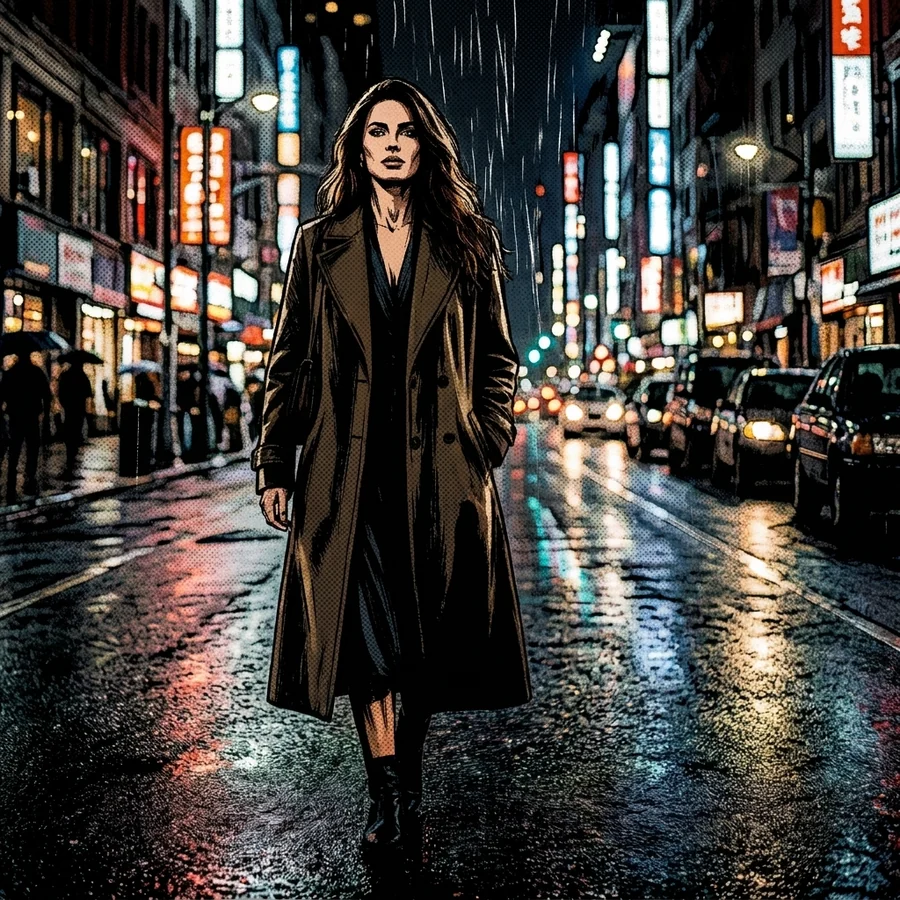
Full-body, night
Hard neon light and a full-body pose - the comic engine loves this one.
Three steps, one upload
Upload your photo
Drag in a JPG, PNG or WebP up to 15 MB, or just paste from your clipboard. Nothing is posted publicly and uploads are deleted within 24 hours.
Pick a style and a look
One of the four trained engines - anime, cartoon, comic or polaroid - then one of its four looks. Or open the picker for 22 more, from oil painting to pixel art. Add your own twist to steer any of them.
Generate and download
The AI redraws the whole frame while holding your pose and framing. Compare it against the original with the slider, then download the full-size result.
What each engine actually does to a photo
These four are trained adapters, not prompt presets - the model has actually learned each look, which is why they hold a likeness better than an instruction ever could. Each treats line, shadow and colour differently, so the right pick depends far more on your photo's lighting than on your taste. The other 22 styles are listed below.
✨ Anime
Cel-shaded line art, expressive eyes, vivid flat colour.
The anime engine redraws your photo the way a Japanese animation studio would: clean ink lines, flat colour blocked into two or three tones, a hard-edged shadow shape instead of a soft gradient, and eyes pushed a little larger and brighter. It is the most stylised of the four - it will change your proportions slightly - but it keeps hair shape, clothing and expression, so people still recognise you at a glance.
🎬 Cartoon
Glossy 3D animated-movie character with soft, rounded shading.
The cartoon engine is the friendliest of the four. It rebuilds you as a 3D animated character - rounded features, big clear eyes, soft subsurface skin shading and a warm cinematic key light - the look of a modern animated film poster. Because the shading stays soft rather than flat, it holds face shape better than anime does, which is why it is usually the safest pick for family photos and pets.
💥 Comic
Inked panel art with halftone dots and hard noir shadows.
The comic engine inks you. Outlines go heavy and confident, mid-tones collapse into halftone dot screens, and light turns dramatic and directional - the language of a printed comic page. It is the most graphic of the four and the most forgiving of an imperfect photo, because contrast and shadow are the point rather than something to smooth away.
📸 Polaroid
Instant-film grain, milky highlights and a warm colour cast.
The polaroid engine is the odd one out: it does not redraw you as a character, it re-photographs you. Contrast softens, highlights go milky, shadows pick up a green-blue cast, and the whole frame gains the fine grain and slight bloom of instant film. Because it stays photographic it is the most subtle of the four - the person is untouched and only the medium changes - which makes it the one to use when you want mood rather than a costume.
Beyond the four engines
The four above are trained adapters. These 22 are instruction presets - the same model, steered by a carefully written description rather than a learned adapter. They are more adventurous and less predictable: expect a bigger departure from your photo, and expect the background to change more than the subject. All of them are free, and all of them take the same optional twist.
Painted & drawn
Traditional media - brush, ink, graphite and charcoal. These read as artwork rather than a filter, and they handle an imperfect photo well because texture hides softness.
- Oil painting · Impasto brushwork and canvas weave.
- Watercolour · Translucent washes with soft bleeding edges.
- Chinese ink · Sparse shui-mo brushwork and generous empty space.
- Pencil · Graphite hatching and visible paper tooth.
- Charcoal · Smudged blacks and rough, expressive strokes.
- Renaissance · Chiaroscuro, earth palette, varnished glaze.
- Baroque · Theatrical tenebrism and golden highlights.
Animation & film
Moving-image looks: hand-painted animation cels, stop-motion clay, and photographic grades that treat your picture as a frame from something rather than a portrait.
- Hand-painted anime · Gouache backgrounds and gentle outlines.
- Claymation · Modelling clay with thumbprints and seams.
- Cinematic · Anamorphic framing, filmic contrast, halation.
- Old photo · Faded silver gelatin, dust and scratches.
Neon & fantasy
The loud ones. These rebuild the light and the world around you, so they change the background far more than the other families - best on photos with room to play with.
- Cyberpunk · Neon signage on wet, reflective streets.
- Synthwave · Magenta gradients, chrome and a sun-grid horizon.
- Steampunk · Brass gears, riveted copper, warm gaslight.
- Dark fantasy · Gothic fog, cold moonlight, ornate decay.
- Psychedelic · Swirling liquid pattern in clashing colour.
Craft & pixels
Your photo rebuilt out of a material: pixels, cubes, plastic bricks, cut paper, thread. The most transformative group, and the most fun on simple, bold subjects.
- Pixel art · 16-bit pixels on a limited indexed palette.
- Voxel · Built entirely from uniform 3D cubes.
- Toy bricks · Studded, glossy moulded plastic parts.
- Papercraft · Layered cut paper with real edge shadows.
- Embroidery · Satin and chain stitch with thread sheen.
- Isometric · A tidy 2:1 diorama of your photo.
Which style should you pick?
The four trained engines, side by side. If you only read one row, read "handles bad light" - it is the single biggest predictor of whether you will like the result.
| Anime | Cartoon | Comic | Polaroid | |
|---|---|---|---|---|
| Line work | Clean, thin, confident ink | Soft or none - shape does the work | Heavy brush ink, high contrast | None - it stays a photograph |
| Shading | Flat cel, 2-3 tones | Smooth 3D with soft falloff | Halftone dots and solid blacks | Lifted blacks, milky highlights |
| Colour | Bright and saturated | Warm, cinematic, natural | Limited palette or none at all | Warm cast, cyan-shifted shadows |
| Face change | Most stylised | Moderate - keeps face shape well | Graphic but structurally faithful | None - only the medium changes |
| Best subject | Portraits and selfies | Families, kids, pets | Dramatic and full-body shots | Candids, couples, travel |
| Handles bad light | Fair | Poorly - needs detail | Very well - contrast is the point | Well, if the photo is sharp |
| Great as a PFP | Yes | Yes | In black and white, especially | Only if you want to stay realistic |
Six things that decide how good this looks
The model is the same for everyone. The difference between a result you keep and one you delete is almost always the photo you fed it.
Fill the frame with your subject
A face that is 30% or more of the image gives the model enough to redraw. A tiny face in a wide landscape comes back generic.
Use directional light
Light from one side gives every engine a shadow shape to stylise. Flat on-camera flash is the hardest photo to make interesting.
Start sharp
Stylising does not recover detail that was never captured. If your photo is soft or small, run it through the Image Upscaler first.
Lose the sunglasses
Eyes carry the whole likeness in anime and cartoon. Sunglasses, heavy hats and hair across the face all cost you recognisability.
One clear subject beats five
Groups do work, but every extra face is less resolution per face. For a group, get everyone close and shoot horizontally.
Re-run before you re-edit
Each generation is a fresh interpretation. If a result is 90% there, running the same look again is usually faster than changing the photo.
What people actually make with it
Profile pictures
A cel-shaded or inked version of your face reads instantly at 40 pixels - a photo does not.
Gifts and prints
Turn a favourite photo into a poster, a mug or a framed print that looks commissioned.
Invitations
Birthday, wedding and baby-shower invites built from a cartoon of the actual people.
Pet portraits
Cartoon is astonishing on dogs and cats - fur turns into soft, glossy 3D shading.
Streaming and gaming
Matching anime avatars for a whole squad, Discord server or team roster.
Comic panels
Ink a sequence of photos in the comic style and lay them out as a real strip.
Thumbnails
A comic-inked face out-clicks a photo thumbnail because it survives being shrunk.
Just for the fun of it
Run one photo through all 26 styles and watch it become 26 different pictures.
Photos of other people need their permission
Stylising is creative, not anonymous - the person is still recognisable in the result. Upload photos of yourself, or of people who have agreed to it. Our consent guidelines spell out who needs to agree and when, and the content policy lists what is never allowed. Uploads are deleted within 24 hours and nothing you make is published to a gallery.