
AI Photo Colorizer
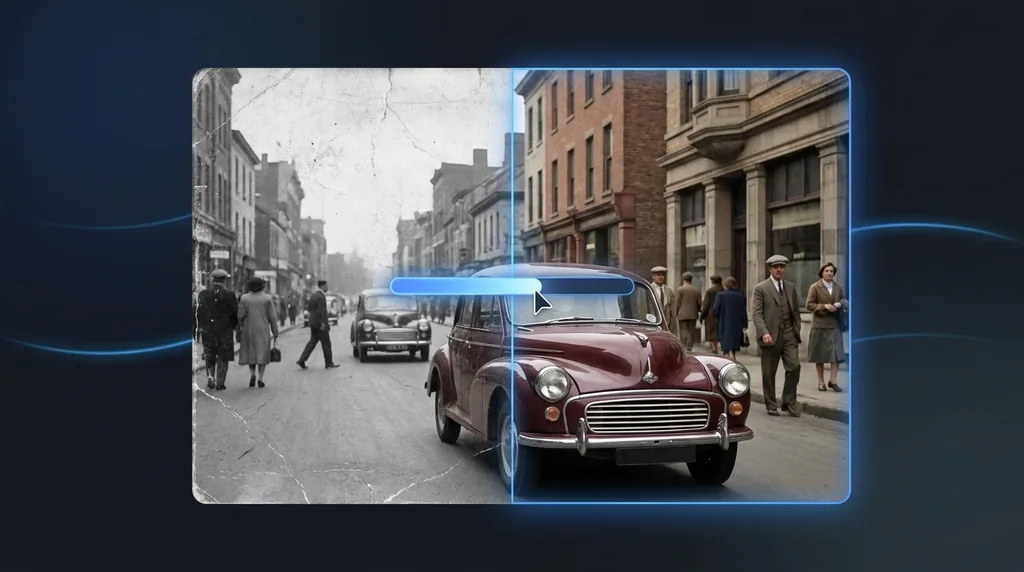
Bring black-and-white photos to life with realistic, natural color.
Click or drag a photo here
JPG, PNG or WebP - up to 15 MB
Uses 10 credits - earn more free
Working on your image…
Why use Photo Colorizer?
Natural color
Realistic, period-appropriate tones - Not garish guesses.
Detail preserved
Adds color without softening the original photo.
Memories revived
See old family photos as they might have looked in life.
Old family photos hold so much - But in black and white they can feel distant. The AI Photo Colorizer adds realistic, natural color to monochrome images, with accurate skin tones and plausible colors throughout, breathing new life into vintage memories. It pairs perfectly with our Photo Restoration tool.
How it works
Upload a B&W photo
Any black-and-white or sepia image works.
Colorize
The AI adds realistic color across the photo.
Download
Save the colorized version - The original is untouched.
Popular ways to use Photo Colorizer
Bring black-and-white family heirlooms to life, colourise historical photos for projects and presentations, or restore colour to faded scans. It pairs perfectly with Photo Restoration.
Pairs well with our Photo Restoration and photo restoration guide.
New to this? Read our photo restoration guide.
See what others are creating →Getting the most accurate colors
Building a full restoration workflow
- Repair tears, fading and spots with Photo Restoration
- Sharpen and enlarge faint detail using the Image Upscaler
- Colorize the cleaned-up image here
- Refine faces with the Portrait Enhancer
Best photos to use
- A monochrome scan with a full tonal range from deep blacks to bright whites, since the AI reads grayscale brightness alone to guess what each surface is made of and assign a color
- Photos where clothing, foliage, sky and skin sit in distinct, well-separated areas, so one object's color doesn't bleed across an edge into the next
- Scenes full of everyday objects the model has a strong learned color prior for - grass, brick, denim, tree bark, terracotta - rather than abstract or studio backdrops
- Sepia, silver-gelatin or faded brown-toned prints scanned as-is without first converting them to pure gray, as the residual tint still maps cleanly to color
- Outdoor daytime shots, where 'sky is blue, grass is green' priors make the AI's guesses far more reliable than in dim indoor or night scenes
What to keep in mind
- Color is an educated guess, never a recovery: a red, green or blue dress can read as the identical gray, so the AI may confidently pick the wrong hue and there is no way for it to know the truth
- Large flat regions like clear skies or painted walls often colorize in uneven patches or come out muted, because there are few brightness cues to anchor a single tone
- Vivid man-made colors - neon signage, dyed hair, painted toys, sports kit - tend to land conservative and earthy rather than saturated, since the model defaults to the most statistically common color for that shape
- It only adds color; it will not sharpen, repair scratches, remove stains or fill missing areas, so any damage in the original survives into the colorized copy
What you get
You get a full-color RGB copy of your black-and-white, sepia or faded image at the same resolution and framing as the upload, with the original monochrome file left untouched.
Real ways to use Photo Colorizer
Photo Colorizer only adds color - it leaves sharpness and damage exactly as found. If faces in your scan look soft or grainy, run the Portrait Enhancer afterward to refine facial detail, since colorizing alone won't make a blurry face crisp. And if you want a fully restyled, illustrated look rather than realistic period color, use the Cartoonizer instead.