
AI Hairstyle & Hair Color Changer
Try a new haircut or color before you commit. Restyle hair on any photo, instantly.
Click or drag a photo here
JPG, PNG or WebP - up to 15 MB
Uses 10 credits - earn more free
Working on your image…
Why use Hairstyle Changer?
Try before you cut
Preview a new style or color without any commitment.
Only the hair changes
Your face and background stay untouched for a believable preview.
Cuts & colors
Switch the cut, the length or the color in one tap.
Thinking about a big chop or a bold new color? Try it risk-free first. The Hairstyle Changer restyles the hair in your photo - New cut, length or color - While keeping your face and the rest of the image exactly the same, so you can preview the look before the salon.
How it works
Upload a photo
A clear photo where your hairline is visible works best.
Pick a look
New cut, a color, or longer hair - Then generate.
Download
Compare the styles and save your favourite.
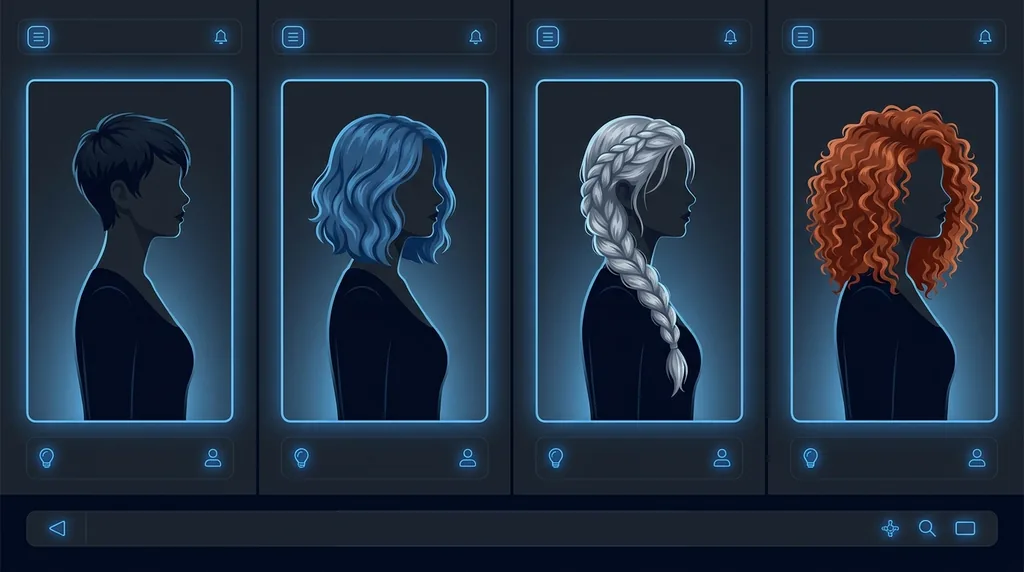
Popular ways to use Hairstyle Changer
Preview a dramatic chop, a new colour, or longer hair before booking the salon. Stylists and clients use it to agree on a look, and shoppers use it to test bold changes risk-free.
Pairs well with our Portrait Enhancer and AI Makeup.
New to this? Read our image enhancement guide.
See what others are creating →How to take a photo that restyles cleanly
Plan a salon visit with confidence
Best photos to use
- A shot showing your real hair length and density, not scraped into a tight bun, so the AI can judge how much hair it actually has to remove for a crop or extend for a longer look
- Both ears at least partly visible, because where your hair tucks behind or falls over the ears is what decides whether a bob, lob or pixie sits believably on you
- Even left-to-right lighting with no strong shadow down one side of the face, since a one-sided shadow tricks the model into rendering the new part-line or fringe heavier on the lit side
- A resolution high enough that individual strands near the temples are visible, as the tool rebuilds fine flyaways at the new hairline and goes plasticky when it only has a blurry mass to copy
- For a colour test specifically, a frame that includes a little of your natural skin and eyebrow tone, which gives the AI a reference for how warm or cool the new shade should read against your complexion
What to keep in mind
- Curl pattern and texture are the hardest things to invent, so asking tight coils for pin-straight hair (or vice versa) often produces a generic wave rather than your true texture restyled
- Extreme colour jumps (jet black to platinum, or vivid fashion colours) may leave faint dark roots or uneven tone the model couldn't fully repaint
- The model has no idea how your hair grows, so a buzz cut or slicked-back style can sit at the wrong hairline height and undercuts or shaved sides may come out softer than a real clipper line
- When new hair falls onto a patterned top or busy background, strands and edges can smear into whatever is behind them instead of staying crisply separated
What you get
You get back the same photo with only the hair reshaped or recoloured: the new cut, length or shade is matched to your original lighting and pasted onto your unchanged face, expression and background. Run it a few times to collect several contenders side by side.
Real ways to use Hairstyle Changer
The Hairstyle Changer is for trying looks on a casual photo. Once you've locked in a cut and colour you love, feed that result into our AI Headshot Generator to put the chosen style into a clean, professional studio shot for your CV or profile. And because hair carries so much of the visual signal, the Gender Swap relies on the same restyling - send a swapped result here to fine-tune its hair separately.