
AI Avatar & Profile Picture Generator
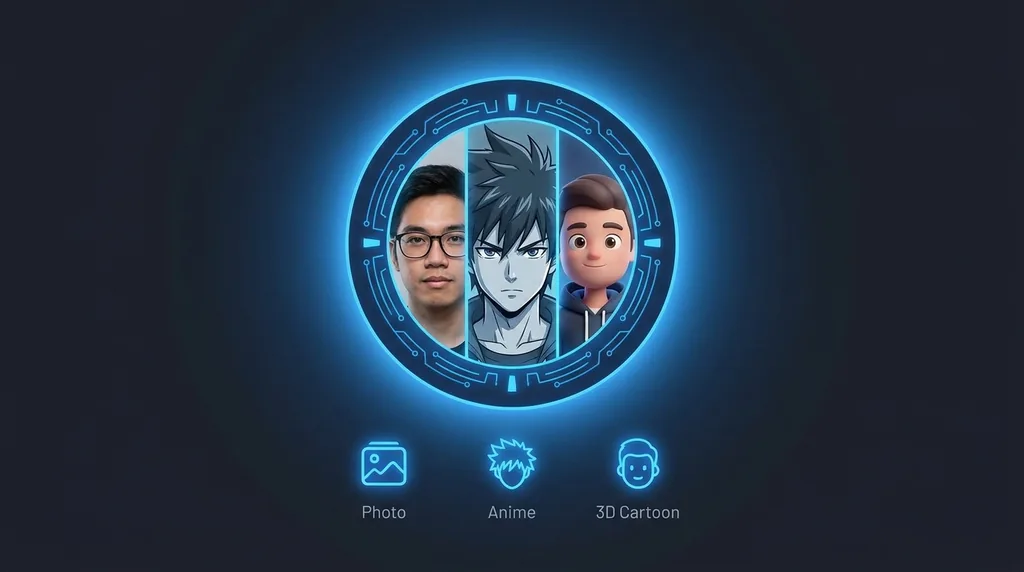
Turn your photo into a stylized avatar - Anime, cartoon or 3D - Perfect for profile pictures and socials.
Click or drag a photo here
JPG, PNG or WebP - up to 15 MB
Uses 10 credits - earn more free
Working on your image…
Why use AI Avatar Generator?
Distinct styles
Anime, 3D cartoon or comic - Pick the vibe that fits your profile.
Made from your face
Keeps your likeness so the avatar is unmistakably you.
Instant PFP
Generate a square-friendly avatar ready to upload anywhere.
Stand out everywhere with a custom avatar made from your own photo. The AI Avatar Generator restyles your face into an anime, 3D cartoon or comic-book character that still looks like you - Ideal for profile pictures, gaming handles, Discord, and social media.
How it works
Upload a photo
A clear photo of your face gives the best stylized result.
Choose a style
Anime, 3D cartoon or comic - Then generate.
Set it as your PFP
Download and use it on any platform.
Popular ways to use AI Avatar Generator
Turn a selfie into a profile picture for Discord, gaming and social media, a stylised avatar for a podcast or newsletter, or a matching set of team avatars in one consistent style. Anime and 3D looks are favourites for streamers and creators.
Pairs well with our Photo to Anime studio and Cartoonizer.
New to this? Read our AI image editing glossary.
See what others are creating →Make your avatar crop perfectly to any platform
Match your avatar to your wider brand
Best photos to use
- Leave a margin of plain space around your head before uploading - the avatar inherits your photo's framing, so a tight crop where your hair touches the edges gives the AI no room to render the full hairstyle the art style wants to draw
- A neutral or slight smile reads best, because each style exaggerates the mouth and eyes into character expressions - a wide open-mouth laugh often becomes an exaggerated grin that fights the calm 'PFP' look most people want
- Pick a photo where your signature accessory is on if it's part of how people recognise you - the AI keeps glasses, a nose ring or a distinctive earring as drawn details, but it won't invent them if they're absent from the source
- Front-on with both ears roughly visible beats a three-quarter turn: the avatar is meant to sit centered in a circular crop, and a strong side angle produces an off-balance illustration that looks tilted once a platform masks it to a circle
- Avoid a busy patterned shirt or logo near the collar - the style redraws clothing into simplified illustrated shapes, and dense patterns turn into smeared noise on the shoulders that distracts from the face
What to keep in mind
- It restyles into illustration, so it cannot produce a photorealistic avatar - the output always reads as drawn or rendered art, never a real photo of you
- The three presets are fixed looks; you can't dial in a specific franchise's art style, a custom colour palette or a chosen pose - you get the generator's interpretation of anime, 3D cartoon or comic, not a brief you write
- It stylizes one face into a head-and-shoulders bust, so it won't keep your hands, a full-body pose, or a second person from the photo - props and anyone beside you are dropped from the final avatar
- Each run reinterprets the style, so two generations from the same photo won't be identical - regenerating to fix the eyes can change the hair, and there's no way to lock one good detail while rerolling another
What you get
You get a single square illustrated portrait of yourself redrawn in the chosen art style (anime, 3D cartoon or comic), with your face centered for a profile picture. It is a fresh stylized image, not your original photo with a filter layered on top.
Real ways to use AI Avatar Generator
This makes a stylized illustrated PFP, not a real photo. If you actually want a polished, photorealistic profile picture - studio lighting, business attire, a clean background that still looks like a genuine photograph of you - use the AI Headshot Generator instead; reach for the avatar generator only when you specifically want the anime, cartoon or comic look.